Acer Nitro XV272U V3 monitorGaming~$300

Acer

Acer Nitro XV272U V3

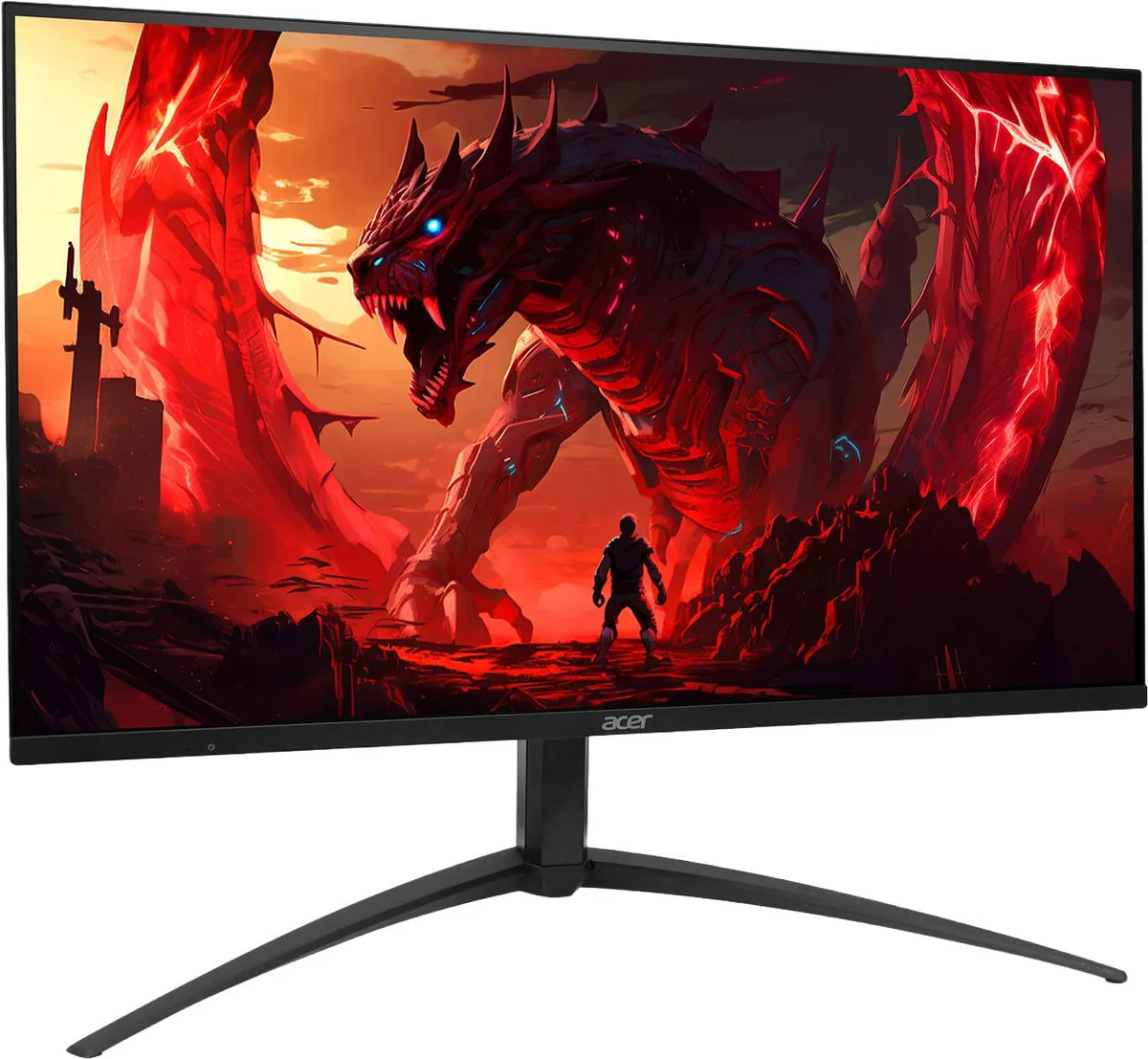
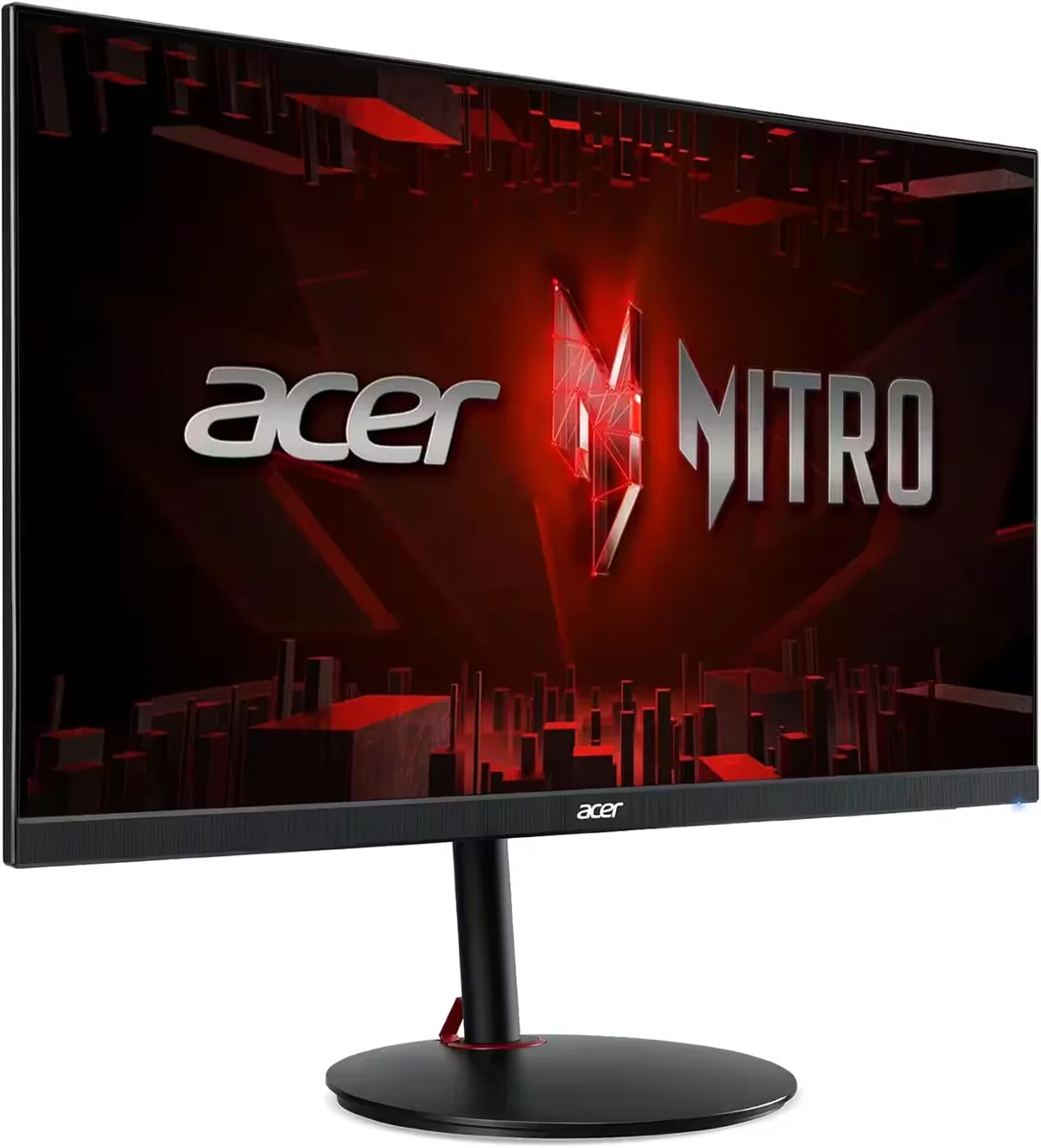
Three hundred dollars is the whole story here, and Acer spent it on the two things people notice: 1440p at 180 Hz, and 95% DCI-P3 coverage on a panel rated at 0.5 ms grey-to-grey. The stand is the surprise, since height, swivel and a full portrait pivot are usually the first items cut at this price. What the budget did not stretch to is any docking hardware at all — no USB-C, no hub, and a DisplayPort 1.2 input that needs reduced blanking to carry 180 Hz in the first place.

Approx. price

~$300

snapshot, not a live price

Sharpness

46ppd · sharp

text is clean; pixel edges show if you look for them

HDR tier

Accepts an HDR signal

the maker publishes no dimming-zone count, so the certificate is the only evidence of local dimming there is

Peak brightness

400nits claimed

DisplayHDR 400

USB-C power

None

video and data only, or no USB-C at all

Max refresh

180 Hz

0.5 ms GtG rated

Port speed — can each input carry this panel?

  • 2×HDMI 2.0· below the panel's maximum
  • DisplayPort 1.2· below the panel's maximum

This panel needs 19.1 Gbps at 2560×1440, 180 Hz and 24 bits per pixel, with no DSC to fall back on.

Best for: A mid-range gaming PC that needs refresh rate and colour more than ports

No input on this monitor carries 2560×1440 at 180 Hz and 24 bits per pixel at once. There is no lower bit depth to fall back to either — this is already an 8-bit panel — so the advertised refresh rate is available only at a lower resolution, or on the reduced-blanking timing a DisplayPort link can use in place of the television timing this figure assumes. How the arithmetic works.

Specifications

Approx. price
~$300
Type
Gaming
Resolution
2560×1440
Pixels per degree
46 — sharp
Finish
matte
Response time
0.5 ms GtG
VRR
FreeSync Premium
HDR tier
Accepts an HDR signal
HDR certification
DisplayHDR 400
Peak brightness
400 nits claimed
Colour gamut
95% DCI-P3
HDMI
2 × HDMI 2.0
DisplayPort
1 × DisplayPort 1.2
DSC
Not supported
Port speed
No input reaches the panel's maximum
USB-C
None
KVM
None
Speakers
Built in
Stand
height, tilt, swivel, pivot
VESA
100x100
Weight
13.89 lb
$ per inch
$11
$ per megapixel
$81

Features

  • 180 Hz refresh over a 48-180 Hz FreeSync Premium window
  • 95% DCI-P3 coverage
  • Four-way stand including 90-degree portrait pivot
  • Two HDMI inputs plus DisplayPort
  • Two 2 W speakers

What it does well

  • 1440p at 180 Hz is the combination a mid-tier GPU can actually hold at high settings, and this is near the bottom of the price range for it
  • 95% DCI-P3 is unusual coverage this cheap and makes the panel serviceable for photo edits between sessions
  • Full four-way stand with a portrait pivot, which most rivals at this price replace with tilt only
  • Both a PC and a console can stay connected across the two HDMI ports and DisplayPort
  • The 48-180 Hz adaptive-sync window is wide enough that frame drops stay smooth rather than stuttering at the bottom

What it gives up

  • DisplayHDR 400 with an edge-lit backlight and no dimming-zone count published: it accepts an HDR signal and shows almost none of the effect
  • 350 nits and 1000:1 contrast leave dark scenes looking grey in any room with the lights on
  • Only DisplayPort reaches 180 Hz — HDMI 2.0 does not have the bandwidth for 1440p above 144 Hz
  • No USB-C and no USB hub, so it cannot dock a laptop or pass peripherals through

The two lists above come from the maker’s specifications and from published third-party measurements, not from owner reports. Where owner discussion has been read it appears in its own section below, so the two are never mistaken for each other.

What owners say

Budget shortlists are where this monitor lives. Anyone setting out to spend $200 on a 27-inch 1440p screen ends up comparing it against Dell's G2724D, LG's 27GS85Q and AOC's mini-LED VA, and the Acer is usually the cheapest of the group while matching them on refresh rate and beating several on colour coverage and stand adjustment.

Owners who get a clean panel are happy in an unremarkable way. Colours impress people arriving from TN or older IPS screens, the stand does everything including portrait rotation, and the speakers save budget buyers a separate purchase. One owner jumping from 1080p was underwhelmed rather than thrilled, which is a useful expectation-setter: 1440p at 27 inches is a modest density increase, and the difference shows up in desktop space and text more than in a wow moment during a game.

Getting a clean panel is the risk. Dead and discoloured pixels on arrival are a recurring complaint, corner glow and edge bleed are the next, and one owner found an exchanged unit no better than the first. Two further things to know before buying: HDR is a checkbox at 350 nits with no dimming, and Acer sells so many similarly-named variants of this monitor at different refresh rates that buyers regularly research one and order another. Check the full suffix on the listing, and check the screen on a black background the day it arrives.
What owners like

  • Price is the entire argument and it wins a lot of them — buyers find it at or under the cheapest 27-inch 1440p 180 Hz panels anywhere, and it keeps turning up as the default budget recommendation in shortlists.
  • Full stand adjustment including rotation to portrait is rare this cheap, and owners who read code or long documents call the pivot out specifically.
  • It has speakers, which sounds trivial until you read budget buyers explaining they picked it over a Dell precisely so they would not need headphones for everything.
  • The claimed colour coverage — around 95% of DCI-P3, well past sRGB — is the kind of number that usually costs more, and owners coming from old TN panels notice the saturation immediately.
  • 180 Hz with a 0.5 ms rated response satisfies the people buying it for competitive shooters, several of whom were comfortably exceeding the refresh rate with mid-range cards.

Common complaints

  • Panel condition is a coin flip. Dead or discoloured pixels on arrival come up repeatedly, and one owner who exchanged a unit over glow and bleed found the replacement no better and gave up on the model.
  • Corner glow and edge bleed are the most common complaints once the monitor is working, most obvious on dark backgrounds and letterboxed video.
  • DisplayHDR 400 at 350 nits with no dimming zones means HDR is a label, not a capability — buyers who wanted real highlight range were pointed at budget mini-LED instead.
  • It carries FreeSync but not NVIDIA's certification, which is the one column where the LG and Dell alternatives at the same price beat it in owners' own comparison tables.
  • Acer's naming is genuinely obstructive. V3, X1, F3, RV, W2 and longer suffixes cover different refresh rates and panels, buyers routinely end up comparing two variants by accident, and the cheapest listing is not always the one they researched.
  • Independent measurement is thin. Would-be buyers keep saying they cannot find a proper review of this exact variant, which leaves the spec sheet as the only evidence.

Questions owners ask about the Acer Nitro XV272U V3

What is the difference between the V3, X1, F3 and the longer model codes?

They are separate monitors sharing a family name, and the differences are not cosmetic — some run 180 Hz, others 240 or 300, and panel and port specifications vary with them. Buyers frequently compare reviews of one and buy another. Match the complete code on the listing, suffix included, against whatever you researched rather than trusting the XV272U part.

I exchanged mine for glow and bleed and the replacement is the same. Now what?

That happened to at least one owner, who concluded it was characteristic of the panel rather than bad luck and moved to a different model. Some edge unevenness is normal for an inexpensive edge-lit IPS; if it is visible during ordinary use rather than only on a black test screen, a second exchange is unlikely to fix it and a refund is the better call.

Why doesn't the jump from 1080p feel bigger?

Going from 24-inch 1080p to 27-inch 1440p raises pixel density only modestly — the gain is mostly in screen area and in how much fits on the desktop. Owners expecting a dramatic sharpness change sometimes report feeling flat about it. Make sure Windows is actually running at 2560×1440 and at the full refresh rate, since both default low often enough to be worth checking.

Does the missing G-Sync certification matter on an NVIDIA card?

Variable refresh generally works over DisplayPort regardless, since NVIDIA drivers will drive adaptive-sync panels that were never submitted for certification. What you lose is the guarantee: flicker in dark scenes and an awkward low-refresh range are exactly the faults certification screens for. Competing monitors at this price that carry the badge are the safer buy if that worries you.

Is it a sensible monitor to plug a MacBook into?

It works, with one catch owners flag: over HDMI you are capped below the panel's full refresh rate, so a Mac without DisplayPort output runs it at 144 Hz rather than 180. For SQL, code and dashboards that is irrelevant, and the portrait rotation is genuinely useful for reading long files. There is no USB-C video input, so expect an adapter.

Are the built-in speakers any good?

They are small monitor speakers — adequate for video calls, YouTube and system sounds, not for music or games you care about. Budget buyers still count them as a win because the alternative in this price bracket usually has none at all, and not needing headphones for every notification matters more in practice than fidelity.

Others in the same part of the catalog

Acer Predator XB273U V3 monitor
Acer~$350

Acer Predator XB273U V3

27″ · 2560×1440 · 180 Hz · IPS

Sharpness
46ppd · sharp
HDR
No HDR
USB-C power
No USB-C power
  • 180 Hz 1440p
  • FreeSync + G-Sync certified

Best for: An Nvidia build that wants certified G-Sync without paying for a hardware module

Acer Nitro XV275K V3 monitor
Acer~$400

Acer Nitro XV275K V3

27″ · 3840×2160 · 160 Hz · IPS

Sharpness
68ppd · retina-class
HDR
Real HDR
USB-C power
No USB-C power
  • 1,000 nits claimed
  • 4K 160 Hz
  • DisplayHDR 1000
  • Console at full speed

Best for: HDR gaming on a budget that will not stretch to an OLED

Acer Predator X27U F5 monitor
Acer~$800

Acer Predator X27U F5

26.5″ · 2560×1440 · 500 Hz · QD-OLED

Sharpness
46ppd · sharp
HDR
Real HDR
  • 500 Hz QD-OLED
  • 3-year burn-in cover
  • Console at full speed

Best for: Competitive shooters where motion clarity matters more than resolution

More from Acer →

← Back to the catalog