BenQ ZOWIE XL2566X+ monitorGaming~$650

BenQ

BenQ ZOWIE XL2566X+

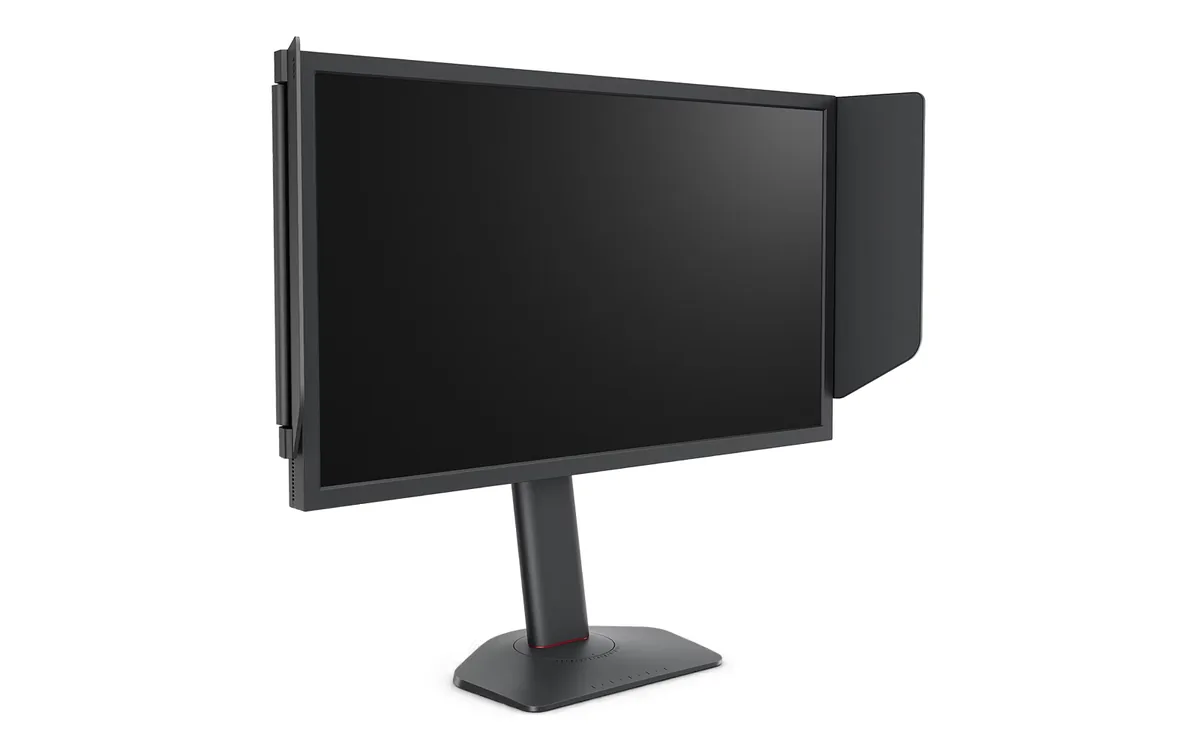
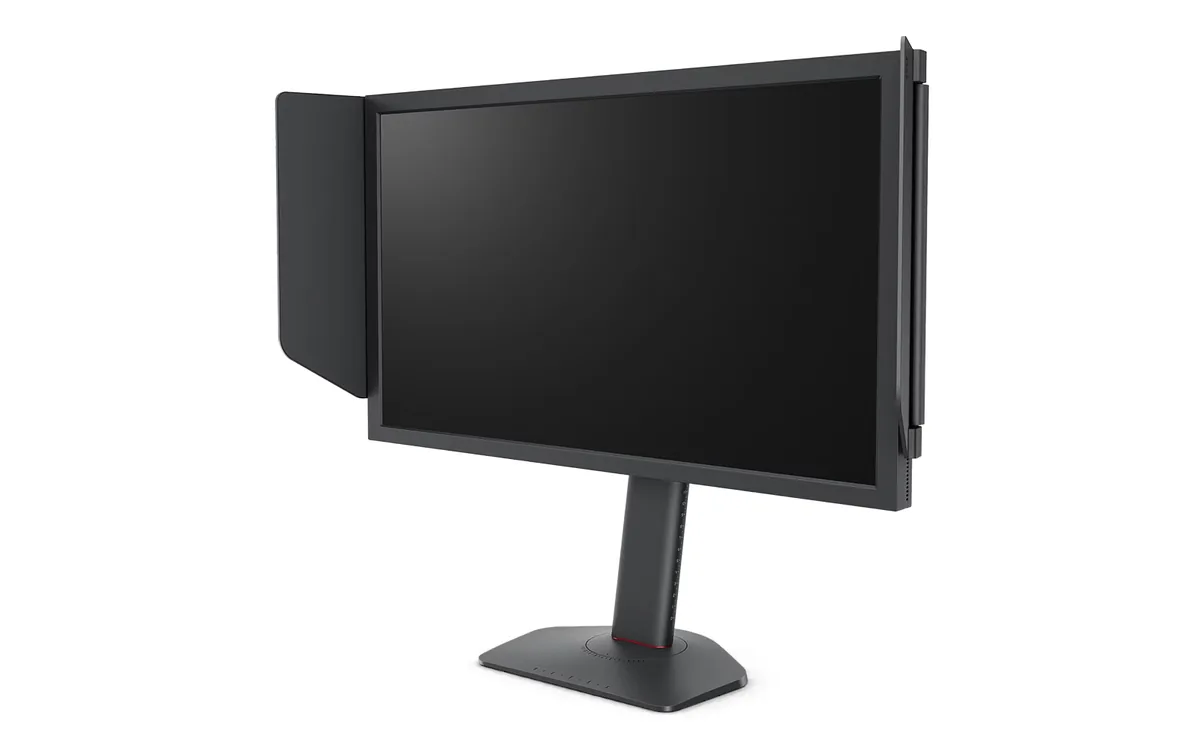
Four hundred hertz on a 24-inch 1080p TN panel is a deliberately narrow product, and ZOWIE has never apologised for it. DyAc 2 strobes the backlight in sync with the refresh to cut the smearing that adaptive sync alone leaves behind, which is why this line keeps turning up on tournament stages. Everything else is stripped out: no speakers, no USB hub, no HDR, no wide gamut, and a shielding hood in the box instead.

Approx. price

~$650

snapshot, not a live price

Sharpness

38ppd · visible pixels

the pixel grid is visible at a desk distance

HDR tier

No HDR

the maker makes no HDR claim for this panel

Peak brightness

320nits claimed

no HDR certification

USB-C power

None

video and data only, or no USB-C at all

Max refresh

400 Hz

1 ms GtG rated

Port speed — can each input carry this panel?

  • 3×HDMI 2.0· below the panel's maximum
  • DisplayPort 1.4· full speed

This panel needs 23.9 Gbps at 1920×1080, 400 Hz and 24 bits per pixel, with no DSC to fall back on.

Best for: Tournament-style FPS practice where motion clarity outranks everything else

Specifications

Approx. price
~$650
Type
Gaming
Resolution
1920×1080
Pixels per degree
38 — visible pixels
Finish
matte
VRR
Adaptive-Sync
HDR tier
No HDR
Peak brightness
320 nits claimed
Colour gamut
112% sRGB
HDMI
3 × HDMI 2.0
DisplayPort
1 × DisplayPort 1.4
DSC
Not supported
Port speed
1 of 2 inputs at full speed
USB-C
None
KVM
None
Speakers
None
Stand
height, tilt, swivel
VESA
100x100
Weight
12.8 lb
Released
2024
$ per inch
$27
$ per megapixel
$313

Features

  • 400 Hz refresh on a Fast-TN panel
  • DyAc 2 backlight strobing for motion clarity
  • S-Switch puck and XL Setting to Share profiles
  • Shielding hood and 155 mm height-adjustable stand
  • Three HDMI 2.0 inputs plus DisplayPort 1.4

What it does well

  • DyAc 2 strobing does something adaptive sync cannot: it shortens how long each frame is lit, which is what actually removes smearing
  • 400 Hz over DisplayPort 1.4 needs no compression, so there is no DSC in the signal path
  • The S-Switch puck puts crosshair, black level and profile switching on the desk rather than in a menu
  • 155 mm of height travel and a shielding hood are practical concessions to sitting at a tournament table

What it gives up

  • 1080p at 24 inches is 91 pixels per inch — visibly coarse if this doubles as a work monitor
  • TN viewing angles shift colour off-axis, and a gamut Tom's Hardware puts at about 112% of sRGB rules out wide-gamut colour work
  • No speakers, no USB hub and no HDR at a price that buys a 27-inch OLED

The two lists above come from the maker’s specifications and from published third-party measurements, not from owner reports. Where owner discussion has been read it appears in its own section below, so the two are never mistaken for each other.

What owners say

Few monitors have a narrower purpose or pursue it this hard. 400 Hz on a fast TN panel with BenQ's strobing, 24 inches, 1080p, no speakers, no HDR, no pretence of being anything other than a tool for competitive shooters — and within that brief, the owners who chase motion clarity above all else keep concluding it is the best thing available, including against OLEDs running higher numbers.

The trouble is what arrives in the box. Read a month of owner reports and you find darker bands down both edges, red marks, banding in dark scenes, flickering lines on day two, and a unit that went to a white screen two weeks in. One buyer received two in a row with pixel defects. That pattern has grown large enough that people now ask in advance whether it is safe to spend this much on one, which is not a question that should attach to a flagship. Colour is the other adjustment: somebody coming from IPS may find the picture genuinely unpleasant.

It is the right buy for one kind of player — somebody whose frame rate actually reaches these numbers, who plays a shooter seriously, who already has a second screen for everything else, and who will inspect the panel hard in the first week and exchange it without hesitation. Everyone else is better served by a 1440p OLED, which will look far better at everything and give up less motion clarity than the numbers suggest.
What owners like

  • Motion clarity is the whole product and it delivers on it. Owners upgrading from the 360 Hz previous generation do so specifically to get the newer strobing, and people who played on one at a tournament go looking for it by name afterwards — a 27-inch IPS owner switched to 24 inches purely because of what he saw at a LAN
  • It holds its ground against monitors two generations newer on paper. Buyers weigh it against 360 Hz, 480 Hz and 500 Hz OLEDs and the threads do not resolve in the OLED's favour automatically, because strobed motion on this panel resolves detail that a sample-and-hold OLED at a higher number still blurs
  • No burn-in to think about, which matters more than it sounds for competitive play — the same static scoreboard, minimap and crosshair for thousands of hours is the exact workload people worry about on OLED
  • Resale and trade demand is real. Owners of the previous 360 Hz model actively offer straight trades to get onto this generation, so the money you put in is not stranded the way it is with most 1080p monitors
  • Three HDMI inputs plus DisplayPort is generous for a 24-inch esports panel, and the stand raises, tilts and swivels, which is what people running a LAN-style setup on a small desk actually need

Common complaints

  • Panel quality control is the dominant theme and it is not a minor grumble. Owners have reported visibly darker bulges down both side edges on a new unit, red marks across the screen, horizontal banding in dark areas, flickering lines appearing the day after delivery, a white screen with lines two weeks into ownership, and one buyer who went through two units with pixel defects before asking whether any alternative exists
  • That reputation is now pricing itself in. Prospective buyers say outright that they are frightened to spend 700 to 800 EUR on a monitor whose faults they keep reading about, which is a remarkable thing to have to weigh on a flagship
  • TN colour is a real adjustment. One owner moving down from a 27-inch IPS spent a week copying other people's settings and concluded it simply looks awful to him — this panel is tuned for visibility in motion, not for a picture you enjoy looking at
  • Strobing is not free and it is not subtle. It costs brightness, it is a flicker by design so the panel is only truly flicker-free with it switched off, and one owner found his strobing went very dark after experimenting with a third-party tuning utility
  • 1080p on a 24-inch panel is a hard floor for everything that is not a competitive shooter. Owners who buy it keep a second, larger screen for single-player games, films and work, and say so explicitly when explaining the purchase
  • The model naming is a maze — an X, an X with a plus, a K, and 25-inch siblings of each — and buyers write whole threads trying to work out which is which and whether the plus is worth the difference

Questions owners ask about the BenQ ZOWIE XL2566X+

Is the quality control really as bad as people say?

The reports are frequent and varied enough to take seriously: edge-darkening on both sides, red marks, banding in dark uniform areas, flickering lines within a day, one panel that failed to a white screen after two weeks, and a buyer who received two defective units consecutively. Most owners get a good one, but the odds are worse than the price implies. Buy where returns are easy, check uniformity on grey and dark test patterns immediately, and treat a first replacement as normal rather than as bad luck.

Should I take this or a 360 to 500 Hz OLED instead?

It depends entirely on whether the monitor has one job. Strobed motion here resolves moving detail that an OLED at a higher refresh rate still smears, which is why competitive players keep choosing it. But the OLED wins on everything else — colour, contrast, resolution, films, desktop work — and a 1440p OLED often costs less. Players who own both tend to keep the OLED as the main screen and this one for practice. If you only have room and budget for one monitor, the OLED is usually the better life.

Is it flicker-free, and does the strobing bother people's eyes?

With the strobing off it behaves as a normal backlit panel. With it on it is flickering deliberately — that is how the technique works, by blanking the backlight between frames — so anyone sensitive to flicker will feel it. Some owners find it uncomfortable and turn it off, and the belief that a number of professionals also disable it circulates widely. If eye strain is a concern for you, try it before committing, because the strobing is most of what you are paying for.

Why does turning adaptive sync on feel more responsive than leaving it off?

One owner noticed exactly this and was surprised, having learned on older models that sync off felt fastest. With sync off, frames land mid-scan and pacing wanders, which reads as inconsistency even when average latency is lower. With it on, pacing is even, and at these refresh rates the latency it adds is a fraction of a millisecond rather than the several it cost on 60 and 144 Hz panels years ago. Trust what feels better in your game — the old advice was written for much slower screens.

Do I need to actually reach 400 frames per second for it to be worth buying?

Not 400, but the closer you get, the more you receive. The strobing is tuned for the panel's top refresh rate and gets worse as you drop below it, so a machine that holds 250 in your main game is getting a fraction of what you paid for. Buyers with recent high-end processors report hitting these rates in CS2 and Valorant, but not in heavier titles. If your frame rate lives nearer 240, the cheaper 280 Hz sibling is the honest purchase.

How do I set it up so it does not look washed out?

Expect to spend time on it, and expect a ceiling. TN viewing angles mean the top and bottom of a 24-inch panel shift slightly at normal distance, which no setting fixes; screen height and a straight-on seating position help more than the picture menu does. One owner spent a week copying settings shared by others and never grew to like it. If you come from a good IPS or an OLED, audition it rather than assuming you will adapt.

Others in the same part of the catalog

BenQ MOBIUZ EX3210U monitor
BenQ~$700

BenQ MOBIUZ EX3210U

31.5″ · 3840×2160 · 144 Hz · IPS

Sharpness
59ppd · sharp
HDR
Real HDR
USB-C power
No USB-C power
  • 4K 144 Hz
  • DisplayHDR 600
  • 2.1 audio with woofer
  • Console at full speed

Best for: A living-room-style desk running a PC and two consoles off one screen

BenQ MOBIUZ EX2710Q monitor
BenQ~$400

BenQ MOBIUZ EX2710Q

27″ · 2560×1440 · 165 Hz · IPS

Sharpness
46ppd · sharp
HDR
Accepts an HDR signal
USB-C power
No USB-C power
  • 165 Hz 1440p IPS
  • 2.1 audio with woofer
  • Around $400

Best for: A single-monitor console-and-PC desk with no room for speakers

BenQ ZOWIE XL2546X+ monitor
BenQNo price published

BenQ ZOWIE XL2546X+

24.1″ · 1920×1080 · 280 Hz · TN

Sharpness
38ppd · visible pixels
HDR
No HDR
USB-C power
No USB-C power
  • 280 Hz Fast-TN
  • DyAc 2 strobing
  • Smaller base

Best for: A competitive player who wants DyAc 2 without paying the 400 Hz premium

More from BenQ →

← Back to the catalog