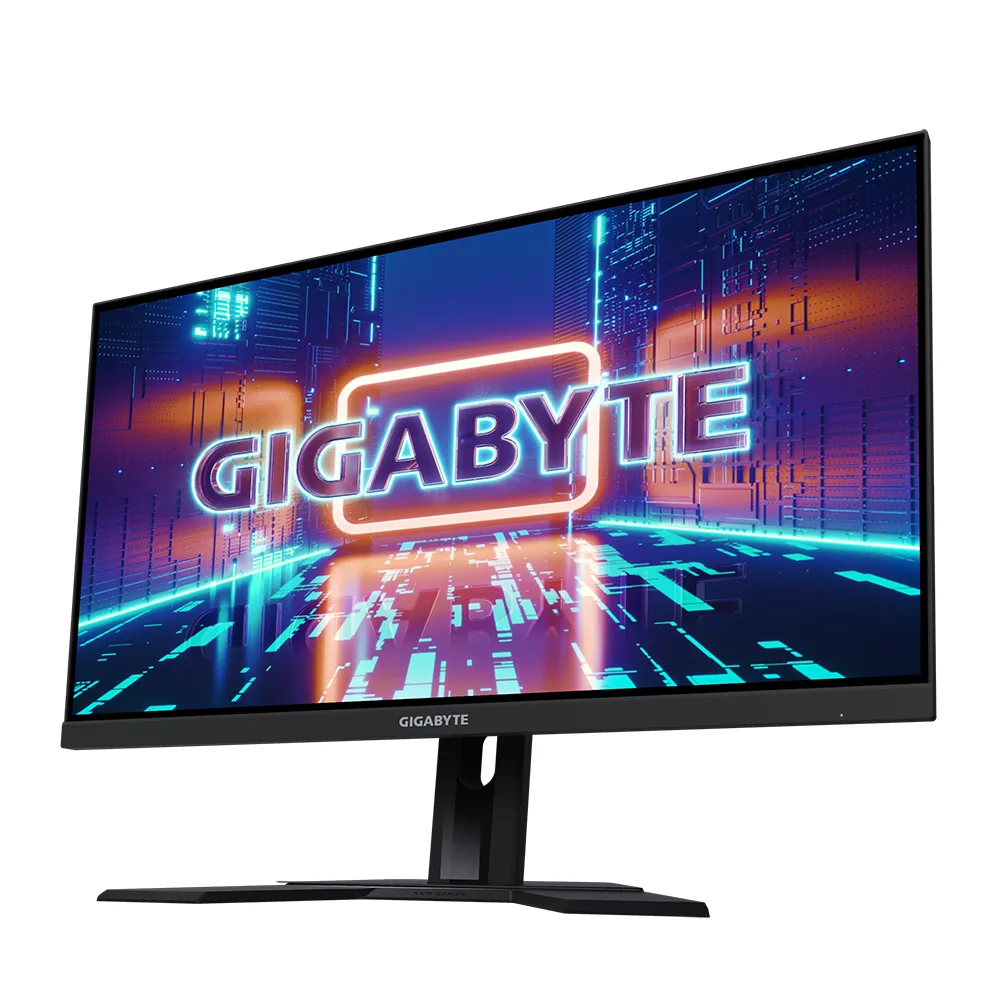
Gigabyte AORUS FO27Q3 monitorOLED gaming~$800

Gigabyte

Gigabyte AORUS FO27Q3

Gigabyte's 27-inch QD-OLED does the same thing its LCD monitors do: fits a KVM to a panel whose direct rivals ship without one. At 360 Hz and around $800 it sits directly against Alienware's AW2725DF and Samsung's G60SD, and the KVM is the thing that breaks the tie for anyone running two machines.

Approx. price

~$800

snapshot, not a live price

Sharpness

46ppd · sharp

text is clean; pixel edges show if you look for them

HDR tier

Real HDR

per-pixel emissive — every pixel is its own backlight, so a highlight can sit beside true black

Peak brightness

1,000nits claimed

DisplayHDR True Black 400

USB-C power

18 W

tops up a handset; not a laptop supply

Max refresh

360 Hz

0.03 ms GtG rated

Port speed — can each input carry this panel?

  • 2×HDMI 2.1· full speed(DSC)
  • DisplayPort 1.4· full speed(DSC)
  • USB-C (DP Alt Mode)· full speed(DSC)

This panel needs 47.8 Gbps at 2560×1440, 360 Hz and 30 bits per pixel, and supports DSC compression.

Best for: A fast OLED for a desk that switches between two machines

Specifications

Approx. price
~$800
Type
OLED gaming
Resolution
2560×1440
Pixels per degree
46 — sharp
Panel
QD-OLED
Finish
glossy
Response time
0.03 ms GtG
VRR
FreeSync Premium Pro
HDR tier
Real HDR
HDR certification
DisplayHDR True Black 400
Peak brightness
1,000 nits claimed
Local dimming
Per-pixel (emissive)
Static contrast
effectively infinite
Colour gamut
99% DCI-P3
HDMI
2 × HDMI 2.1
DisplayPort
1 × DisplayPort 1.4
DSC
Supported
Port speed
3 of 3 inputs at full speed
USB-C
Video in over USB-C
USB-C power
18 W — Phone and tablet
KVM
Built in
USB hub
2 ports
Speakers
Built in
Stand
height, tilt, swivel, pivot
VESA
100x100
Weight
15.9 lb
Released
2024
$ per inch
$30
$ per megapixel
$217

Features

  • 360 Hz QD-OLED at 1440p
  • Built-in KVM switch
  • Two HDMI 2.1 inputs
  • Three-year burn-in warranty
  • Four-way adjustable stand

What it does well

  • A KVM on a 360 Hz OLED, which Alienware's AW2725DF and Samsung's G60SD both leave out
  • Both HDMI inputs run at the full 2.1 rate, so a console and a PC can stay plugged in at once
  • Three years of cover that names burn-in, the same term the OLEDs at twice this price carry
  • Height, tilt, swivel and a portrait pivot, so it can be squared up against a second display

What it gives up

  • Glossy QD-OLED at 250 nits full-field wants a room with controlled light
  • Text sits at ordinary 1440p density with QD-OLED subpixel fringing on top of it
  • USB-C is 18 W, so it is a KVM uplink rather than a laptop dock

The two lists above come from the maker’s specifications and from published third-party measurements, not from owner reports. Where owner discussion has been read it appears in its own section below, so the two are never mistaken for each other.

What owners say

Cheapest route into a 360 Hz QD-OLED is the pitch, and in Europe it was frequently the only one you could actually buy while the Samsung and MSI equivalents sat out of stock. Owners who got one and had no trouble are genuinely happy: one upgrading from a 28-inch 4K panel reports the resolution drop is visible but the colour and contrast make the trade worth it, and the stand and out-of-box experience draw unprompted compliments.

The firmware is where this monitor loses people. Picture settings failing to survive a power cycle is the standout report, documented repeatedly by an owner who had tuned the screen carefully, was unaffected by a firmware update, and got no answer from support for a week before asking publicly whether he should return it. A second owner, running this beside the MSI panel on the same glass, measured the gamma presets and found them badly mislabelled — the 2.2 setting behaving like 1.8 — which explains the washed, greyish look several people describe rather than leaving it as a matter of taste. Compression cannot be disabled at any setting, which matters specifically to people who wanted to render above 1440p and scale down for cleaner edges, and the maker would not say whether that will change.

Smaller things add up: brightness dropping when you alt-tab, an oversaturated yellow-leaning default picture, a firmware update process people cannot find their way through, and HDR that clips after calibration. Good buy for someone who wants OLED contrast and a very high refresh rate for the least money and is content with one picture preset. Bad buy for anyone who switches between tuned profiles, cares about measured accuracy, or wants a manufacturer who answers the ticket.
What owners like

  • Price is the reason it gets bought: owners comparing it against the Samsung, MSI and Alienware panels built on the same generation of glass report it landing roughly $100 to €150 cheaper, and in Europe it was often the only one of the group actually in stock
  • The upgrade impact is real even from a good 4K screen — one owner who moved here from a 28-inch 4K IPS panel says the drop in resolution is noticeable but the colour and black levels more than pay for it, and that 360 Hz in a shooter is transformative
  • Physical quality gets unprompted praise: a sturdy, well-made stand that assembles in about three steps, and owners describing setup as trouble-free out of the box
  • It carries the same panel generation as the more expensive 27-inch QD-OLEDs, so buyers weighing it against those are choosing between support and features rather than picture quality

Common complaints

  • Picture settings do not reliably survive a power cycle — one owner spent over an hour dialling in colour temperature and brightness, only to find the monitor back at defaults the next time it woke, unchanged by a firmware update, with no reply from support after a week
  • The gamma presets do not do what they claim: an owner who measured both this and the MSI equivalent side by side found the 2.2 setting behaving closer to 1.8 and the 2.6 setting closer to 2.1, which is why his new monitor looked greyish next to the older one
  • Stream compression cannot be switched off at any resolution, refresh rate or bit depth, and the maker gave no timeline for adding the option — which blocks owners who wanted to render above native resolution and downsample for cleaner edges
  • Alt-tabbing out of a full-screen game dims the panel until you open the menu and nudge the brightness control, a quirk one owner hit immediately after upgrading from an older screen in the same family
  • The default picture is described as oversaturated and yellow-leaning, and it is bright enough that one owner ended up running 15 out of 100 brightness because even the low-power preset hurt his eyes
  • One unit started refusing to come back after being switched off, showing black until it eventually caught, with a new cable and a firmware update making no difference

Questions owners ask about the Gigabyte AORUS FO27Q3

Why do my picture settings go back to default when the monitor is switched off?

This is the best-documented complaint about the monitor. One owner tuned colour temperature and brightness carefully, found the menu still showing his values while the picture had reverted, and got nowhere with a firmware update, a factory reset or a support ticket. There is no owner-discovered fix. If you rely on a tuned profile, treat this as the deciding issue and test it inside the return window.

Can stream compression be turned off?

No, and an owner tried every combination — both cable types, refresh rates from the top down to 60 Hz, and bit depths from 12 down to 8 — with compression active throughout. The maker's support would not say whether an option is coming. The practical consequence he raised is that it blocks rendering above the panel's native resolution and scaling down, which some people use as a cheap route to cleaner edges in games.

Why does it look washed out or greyish next to another QD-OLED?

Because the gamma presets are mislabelled rather than because the panel is worse. An owner with this monitor and the MSI equivalent on the same desk tested both against gamma reference patterns and found the 2.2 setting tracking closer to 1.8, while the MSI held 2.2 correctly. Selecting the 2.6 preset lands you nearer a true 2.2, which is the closest thing to a workaround anyone has found.

Why does the screen dim when I alt-tab out of a game?

An owner moving up from an older monitor in the same family hit this straight away: leaving a full-screen game lowers the brightness slightly, and opening the menu and touching the brightness control restores it. It reads as the panel-protection logic misreading the switch rather than as a fault. There is no setting owners have found that prevents it, so it is worth knowing about if you play windowed or switch apps constantly.

How do I update the firmware and find the panel-care tools?

Owners get stuck here. The maker's page points at a desktop control application, which then shows nothing to update, and the burn-in care utilities are not where people expect to find them. The firmware itself is distributed as a file to apply from the monitor rather than through the app, so look for the update file on the support page for this exact model and follow its instructions rather than relying on the control software to offer it.

Others in the same part of the catalog

Gigabyte AORUS FO32U2P monitor
Gigabyte~$1,199

Gigabyte AORUS FO32U2P

31.5″ · 3840×2160 · 240 Hz · QD-OLED

Sharpness
59ppd · sharp
HDR
Real HDR
  • DP 2.1 UHBR20
  • 4K 240 Hz OLED
  • KVM
  • Console at full speed

Best for: A 4K OLED driven uncompressed by a DisplayPort 2.1 graphics card

Gigabyte M27Q X monitor
Gigabyte~$400

Gigabyte M27Q X

27″ · 2560×1440 · 240 Hz · Fast IPS

Sharpness
46ppd · sharp
HDR
Accepts an HDR signal
  • 240 Hz for ~$400
  • KVM
  • 92% DCI-P3

Best for: High-refresh 1440p and a KVM on the smallest budget that buys both

Acer Predator X27U F5 monitor
Acer~$800

Acer Predator X27U F5

26.5″ · 2560×1440 · 500 Hz · QD-OLED

Sharpness
46ppd · sharp
HDR
Real HDR
  • 500 Hz QD-OLED
  • 3-year burn-in cover
  • Console at full speed

Best for: Competitive shooters where motion clarity matters more than resolution

More from Gigabyte →

← Back to the catalog