HP Z27k G3 monitorProductivity~$600

HP

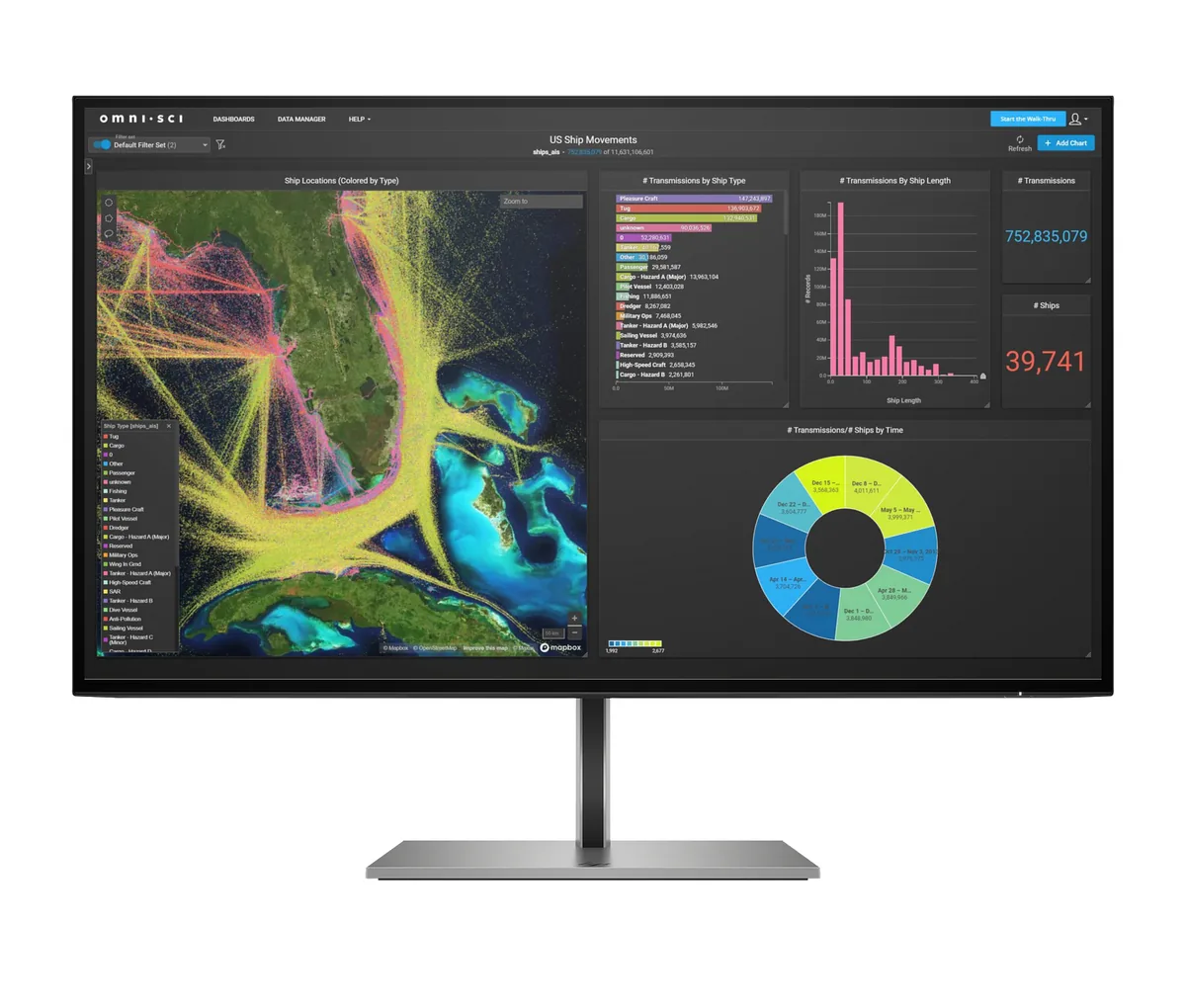
HP Z27k G3

A corporate 4K docking monitor, and it is honest about being nothing else: 350 nits, 1,000:1, 60 Hz, no HDR claim, no adaptive sync. What it does have is 100 W of USB-C charging, four downstream USB ports and a wired Ethernet jack, so a laptop lands on the desk with one cable and gets a network port back. The stand covers all four axes including portrait, and at 13.7 pounds it is light enough to reposition with one hand.

Approx. price

~$600

snapshot, not a live price

Sharpness

68ppd · retina-class

past the ~1 arcminute limit of 20/20 acuity — the grid is gone

HDR tier

No HDR

the maker makes no HDR claim for this panel

Peak brightness

350nits claimed

no HDR certification

USB-C power

100 W

keeps a 14-inch machine charged under normal load

Max refresh

60 Hz

14 ms GtG rated

Port speed — can each input carry this panel?

  • HDMI 2.0· full speed
  • DisplayPort 1.4· full speed
  • USB-C (DP Alt Mode)· full speed

This panel needs 14.3 Gbps at 3840×2160, 60 Hz and 24 bits per pixel, with no DSC to fall back on.

Best for: One-cable docking for a work laptop that also needs a network port

Specifications

Approx. price
~$600
Type
Productivity
Resolution
3840×2160
Pixels per degree
68 — retina-class
Finish
matte
Response time
14 ms GtG
VRR
None
HDR tier
No HDR
Peak brightness
350 nits claimed
Colour gamut
85% DCI-P3
HDMI
1 × HDMI 2.0
DisplayPort
1 × DisplayPort 1.4
DSC
Not supported
Port speed
3 of 3 inputs at full speed
USB-C
Video in over USB-C
USB-C power
100 W — 14-inch class laptop
KVM
None
USB hub
4 ports
Speakers
None
Stand
height, tilt, swivel, pivot
VESA
100x100
Weight
13.7 lb
Released
2021
$ per inch
$22
$ per megapixel
$72

Features

  • 100 W USB-C charging with DisplayPort alt mode
  • Gigabit Ethernet passed through to the laptop
  • Four-port USB-A 3.2 hub
  • Four-way stand with 150 mm of height travel and portrait rotation
  • 3840×2160 across 27 inches at 163 pixels per inch

What it does well

  • 100 W is enough for a 15-inch workstation laptop, where many docking monitors stop at 65 W
  • An RJ-45 jack on the monitor means a wired connection without carrying a dongle
  • 68 pixels per degree at desk distance, so 4K text is fully resolved rather than approximated
  • Full four-way stand with portrait rotation, and only 13.7 pounds with it fitted

What it gives up

  • 350 nits and 1,000:1 with no HDR claim of any kind — this is a document monitor
  • 85% DCI-P3 coverage is short of what a colour-critical job wants
  • No speakers and no KVM, so a second machine needs its own everything
  • 60 Hz, and an 8-bit panel where rivals at the price manage 10

The two lists above come from the maker’s specifications and from published third-party measurements, not from owner reports. Where owner discussion has been read it appears in its own section below, so the two are never mistaken for each other.

What owners say

No owner discussion has been read for the HP Z27k G3 yet. This section stays empty until there is something real to put in it.

Others in the same part of the catalog

HP OMEN 27qs monitor
HP~$430

HP OMEN 27qs

27″ · 2560×1440 · 240 Hz · IPS

Sharpness
46ppd · sharp
HDR
Accepts an HDR signal
USB-C power
No USB-C power
  • 240 Hz at 1440p
  • 95% DCI-P3
  • Portrait pivot

Best for: A first 240 Hz monitor without paying OLED money
HP OMEN 32q monitor
HP~$400

HP OMEN 32q

31.5″ · 2560×1440 · 165 Hz · IPS

Sharpness
39ppd · visible pixels
HDR
Accepts an HDR signal
USB-C power
No USB-C power
  • 31.5-inch 1440p
  • 165 Hz
  • 95% DCI-P3

Best for: The largest 1440p screen a modest budget will buy
More from HP →

← Back to the catalog