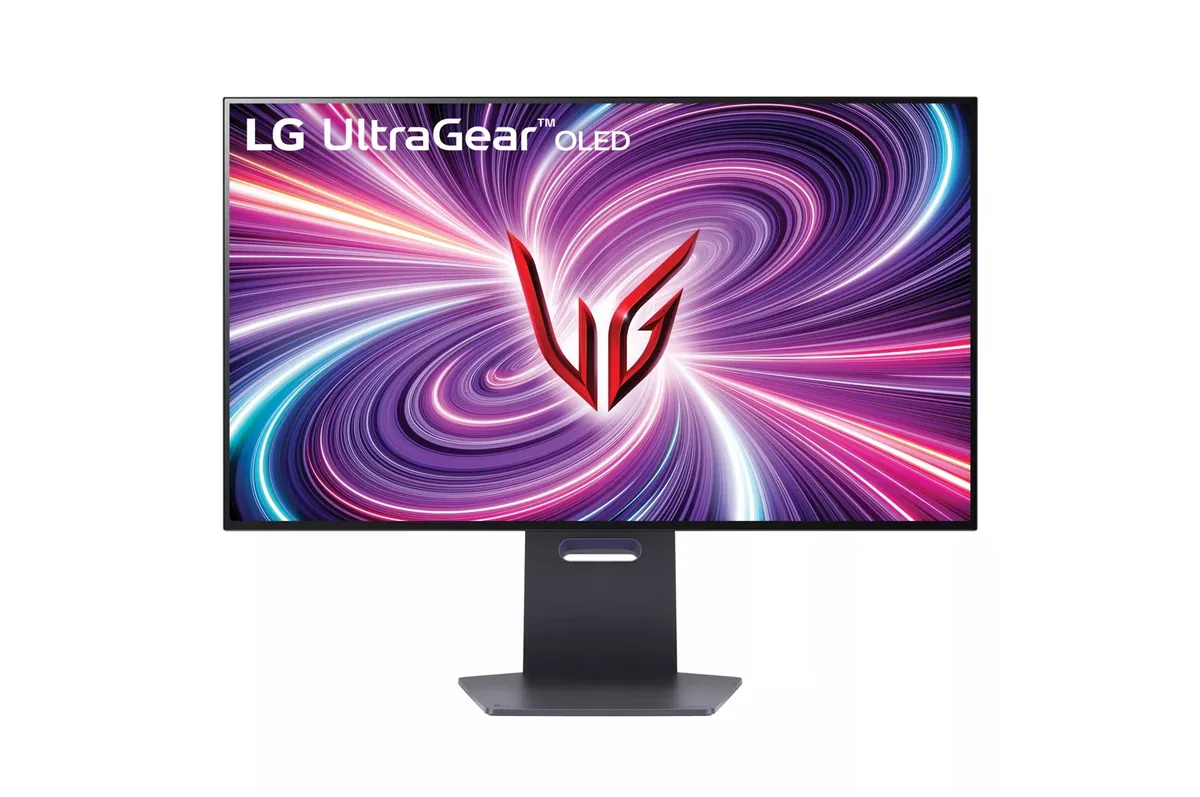
LG UltraGear 27GS95QE monitorOLED gaming~$700

LG

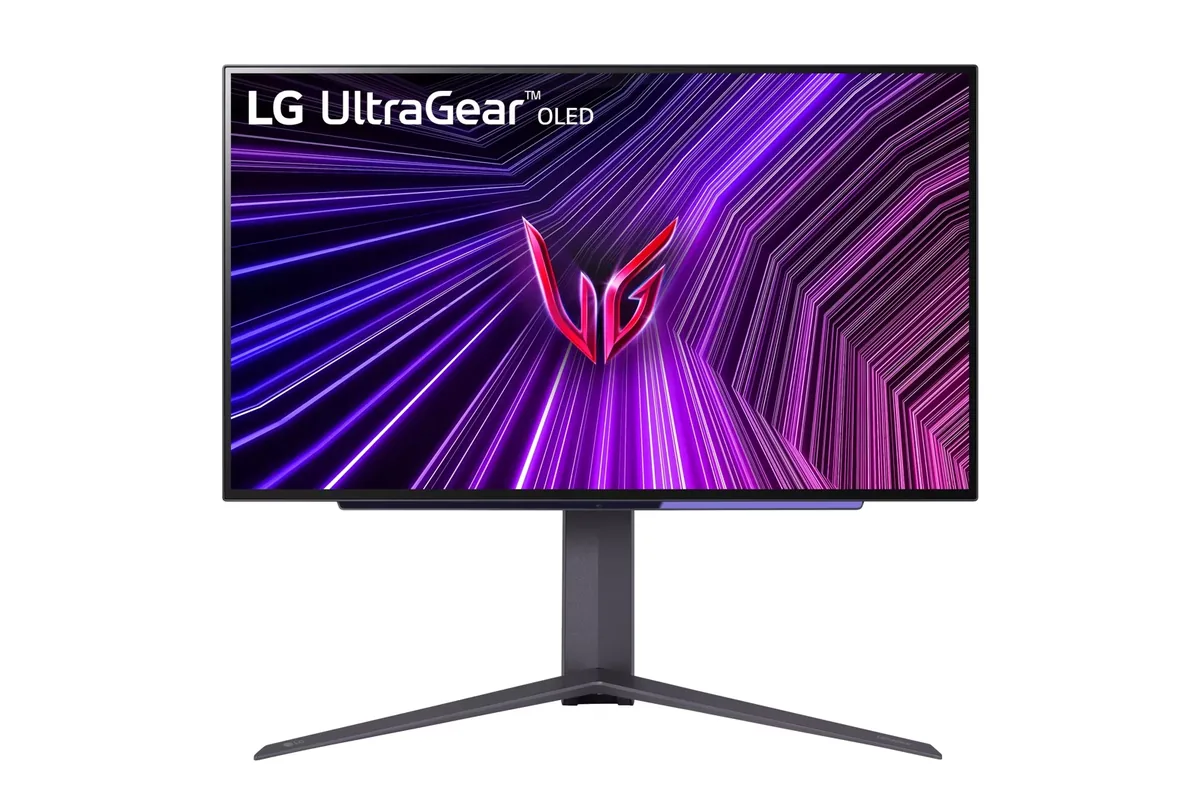
LG UltraGear 27GS95QE

LG's second pass at the 27-inch 1440p OLED fixed the thing everyone complained about in the first: brightness. The panel is the brighter second-generation WOLED, and it keeps the matte coating and the full four-way stand. At 46 pixels per degree it is not a text-clarity monitor, and the WOLED subpixel layout does not help — but for motion it is in a different class from any LCD at the price.

Approx. price

~$700

snapshot, not a live price

Sharpness

46ppd · sharp

text is clean; pixel edges show if you look for them

HDR tier

Real HDR

per-pixel emissive — every pixel is its own backlight, so a highlight can sit beside true black

Peak brightness

1,300nits claimed

DisplayHDR True Black 400

USB-C power

None

video and data only, or no USB-C at all

Max refresh

240 Hz

0.03 ms GtG rated

Port speed — can each input carry this panel?

  • 2×HDMI 2.1· full speed
  • DisplayPort 1.4· full speed(DSC)

This panel needs 31.9 Gbps at 2560×1440, 240 Hz and 30 bits per pixel, and supports DSC compression.

Best for: Competitive play where motion clarity outranks desktop text sharpness

Specifications

Approx. price
~$700
Type
OLED gaming
Resolution
2560×1440
Pixels per degree
46 — sharp
Panel
WOLED
Finish
matte
Response time
0.03 ms GtG
VRR
G-Sync Compatible
HDR tier
Real HDR
HDR certification
DisplayHDR True Black 400
Peak brightness
1,300 nits claimed
Local dimming
Per-pixel (emissive)
Static contrast
effectively infinite
Colour gamut
98.5% DCI-P3
HDMI
2 × HDMI 2.1
DisplayPort
1 × DisplayPort 1.4
DSC
Supported
Port speed
2 of 2 inputs at full speed
USB-C
None
KVM
None
USB hub
2 ports
Speakers
None
Stand
height, tilt, swivel, pivot
VESA
100x100
Burn-in cover
not covered
Weight
16.2 lb
Released
2024
$ per inch
$26
$ per megapixel
$190

Features

  • 240 Hz WOLED with 0.03 ms response
  • Updated second-generation WOLED panel, brighter than the 27GR95QE
  • Two HDMI 2.1 inputs
  • Full four-way stand including portrait pivot

What it does well

  • Motion at 240 Hz with a 0.03 ms panel is a step no LCD in this price band reaches
  • Meaningfully brighter than the first-generation 27GR95QE it replaces, which was the main complaint about that one
  • Per-pixel black with no backlight to bloom around a crosshair or a subtitle
  • DisplayHDR True Black 400 is the certification tier that sets a black-floor requirement rather than only a peak-brightness one

What it gives up

  • 1440p at 26.5 inches is 46 pixels per degree — the pixel grid is visible on text if you look for it
  • WOLED's white subpixel puts colour fringes on thin black-on-white text, which is worst in a code editor
  • No USB-C, no KVM, no speakers — this is a gaming-only feature set
  • Static UI elements need the automatic dimming left on, and that dimming is visible when a bright window is open

The two lists above come from the maker’s specifications and from published third-party measurements, not from owner reports. Where owner discussion has been read it appears in its own section below, so the two are never mistaken for each other.

What owners say

Ten years on IPS and then two days on this is the framing owners keep reaching for, and it explains why the loudest praise comes from people who had never owned an OLED before. Motion at 240 Hz and per-pixel black are the parts nobody argues about.

Everything contested is about light and colour. A green cast, worst in HDR, comes up again and again, with owners pulling the green channel into the low 40s and still not being satisfied; others report a yellow tint that the colour-temperature presets will not clear, and the Gamer 1 and Gamer 2 presets are widely described as inaccurate out of the box. Brightness is the other half: coming from a bright LCD the drop is startling enough that one owner concluded the panel only looks right with the lights off. HDR attracts its own complaints — banding and a lifted black floor under the Windows calibration profile, and colour-heavy bright scenes looking washed because the white subpixel is what does the brightening. Against that, the matte coating is the reason several owners chose it over a glossy QD-OLED: with a window to the side, matte keeps the blacks black where glossy does not.

The upgrade question that comes up constantly is this versus the older 27GR95QE at a couple of hundred less, and brightness is essentially the whole answer — owners who returned the older panel for being too dim bought this one specifically for that. LG has also told owners there are no more firmware updates coming for the older model, which shifts the calculation. Buy it for a controlled-light room and competitive play; anyone wanting a bright desktop or accurate colour out of the box will spend the first evening in the colour menus and may still not get there.
What owners like

  • First-time OLED buyers coming off a decade of IPS panels describe it in the register people usually reserve for a new category of product rather than a new monitor — the motion and the black level land hardest on anyone who has never seen either
  • The matte coating earns its keep in a lit room, and one owner who ran this alongside a glossy QD-OLED put it plainly: blacks stay black here, while the glossy panel's blacks lift unless the blinds come down
  • Brightness was the one thing owners rejected the previous 27GR95QE over, and the people who did reject it treat this as the same monitor with that problem addressed — enough to pay the difference for a second time
  • It ships with a remote, which the 34-inch model in the same family does not — an owner running both misses it badly on the larger screen, since switching inputs from across the desk is the whole point
  • Discounted hard and often, with owners picking it up over $170 below list and consistently under the QD-OLED 360 Hz panels it is cross-shopped against

Common complaints

  • A green cast is the most repeated colour complaint, and it is worst in HDR — one owner pulled the green channel down to 40 out of 100 and still felt he was overcorrecting rather than fixing anything
  • Full-field brightness disappoints anyone arriving from a bright LCD: one owner coming off a 4K nano-IPS panel called the difference startling and concluded it only looked right in a pitch-dark room
  • HDR draws complaints from two directions — visible banding and a washed-out black background under the Windows HDR calibration profile, and bright colour-heavy scenes looking desaturated because of the white subpixel doing the brightening
  • Faint vertical white lines show on dark grey backgrounds; a manual pixel-cleaning cycle clears them, but they come back after the automatic cycle that runs every eight hours, and that cycle cannot be switched off
  • Some units switch themselves between the Gamer 1 and Gamer 2 presets unprompted, which drops brightness and contrast mid-session with no obvious trigger
  • Panel defects turn up in the first week for a minority — a black line down the screen on one unit, vertical banding on another — so inspect it properly while the return window is open

Questions owners ask about the LG UltraGear 27GS95QE

Is the matte coating as bad as people say?

It splits owners cleanly. The people who dislike it object to a faint haze over large white areas. The people who chose it for the coating have a lamp or a window to the side: one owner who ran this next to a glossy QD-OLED found the glossy panel's blacks lifting badly in daylight unless he dropped the blinds, while this one held. Judge it by your room, not by the argument.

Why does the picture have a green or yellow cast?

A green cast is widely reported and is worst with HDR enabled; one owner reduced the green channel to about 40 to chase it and felt he had overcorrected rather than fixed anything. Others describe a yellow tint that the cool colour-temperature preset does not clear. The Gamer 1 and Gamer 2 presets are not accurate out of the box, which is why owners keep asking each other for calibration numbers.

What are the faint vertical lines I see on a dark grey background?

Panel-level banding, visible mostly on near-black grey and rarely on anything else. Running the manual pixel-cleaning routine makes them go away. They return after the automatic cleaning cycle, which LG has told owners runs every eight hours and which there is no setting to disable.

Is it bright enough for a room with a large window?

Not really. Somebody shopping specifically for bright SDR content in front of floor-to-ceiling windows still ended up considering it, on the basis that no OLED in this class is bright — that is the honest framing. An owner arriving from a 4K nano-IPS panel found the drop startling and said it only looked right with the room dark. If bright daytime desktop work is the main job, this is the wrong panel type.

Is it worth the premium over the older 27GR95QE?

Brightness is the difference that owners actually feel, and for the people who returned the older model over dimness it was worth paying twice. If the older panel is $200 to $300 cheaper and you keep the room dark, the case is much weaker — though LG has told owners the older model will get no further firmware updates, which is worth factoring in.

Any problems pairing it with a PS5?

A few worth knowing. Owners report 4K input locking to 120 Hz with fullscreen not recognising 1440p, and intermittent signal loss that sometimes clears by turning the screen off and on and sometimes does not — cable swaps and disabling VRR did not fix it for the owner who chased it hardest. Windows users have also seen it report as not validated for G-Sync in the NVIDIA control panel despite being certified.

Others in the same part of the catalog

LG UltraGear 27GR95QE monitor
LG~$1,000

LG UltraGear 27GR95QE

26.5″ · 2560×1440 · 240 Hz · WOLED

Sharpness
46ppd · sharp
HDR
Real HDR
USB-C power
No USB-C power
  • 240 Hz OLED
  • Matte coating
  • Two-year burn-in cover
  • Console at full speed

Best for: OLED motion on a smaller budget, in a room you can keep dim

LG UltraGear 32GS95UE monitor
LG~$1,400

LG UltraGear 32GS95UE

31.5″ · 3840×2160 · 240 Hz · WOLED

Sharpness
59ppd · sharp
HDR
Real HDR
USB-C power
No USB-C power
  • 4K240 / 1080p480
  • 1,324 nits measured
  • Per-pixel HDR
  • Console at full speed

Best for: One monitor covering both a single-player library and a competitive shooter

LG UltraGear 34GS95QE monitor
LG~$800

LG UltraGear 34GS95QE

34″ · 3440×1440 · 240 Hz · WOLED

Sharpness
46ppd · sharp
HDR
Real HDR
USB-C power
No USB-C power
  • 240 Hz 21:9
  • 800R curve
  • 98.5% DCI-P3
  • Console at full speed

Best for: A curved 21:9 gaming panel that still holds up for desktop work

More from LG →

← Back to the catalog